Adding a New Service
To add custom services to the Book Rx platform, follow these steps:
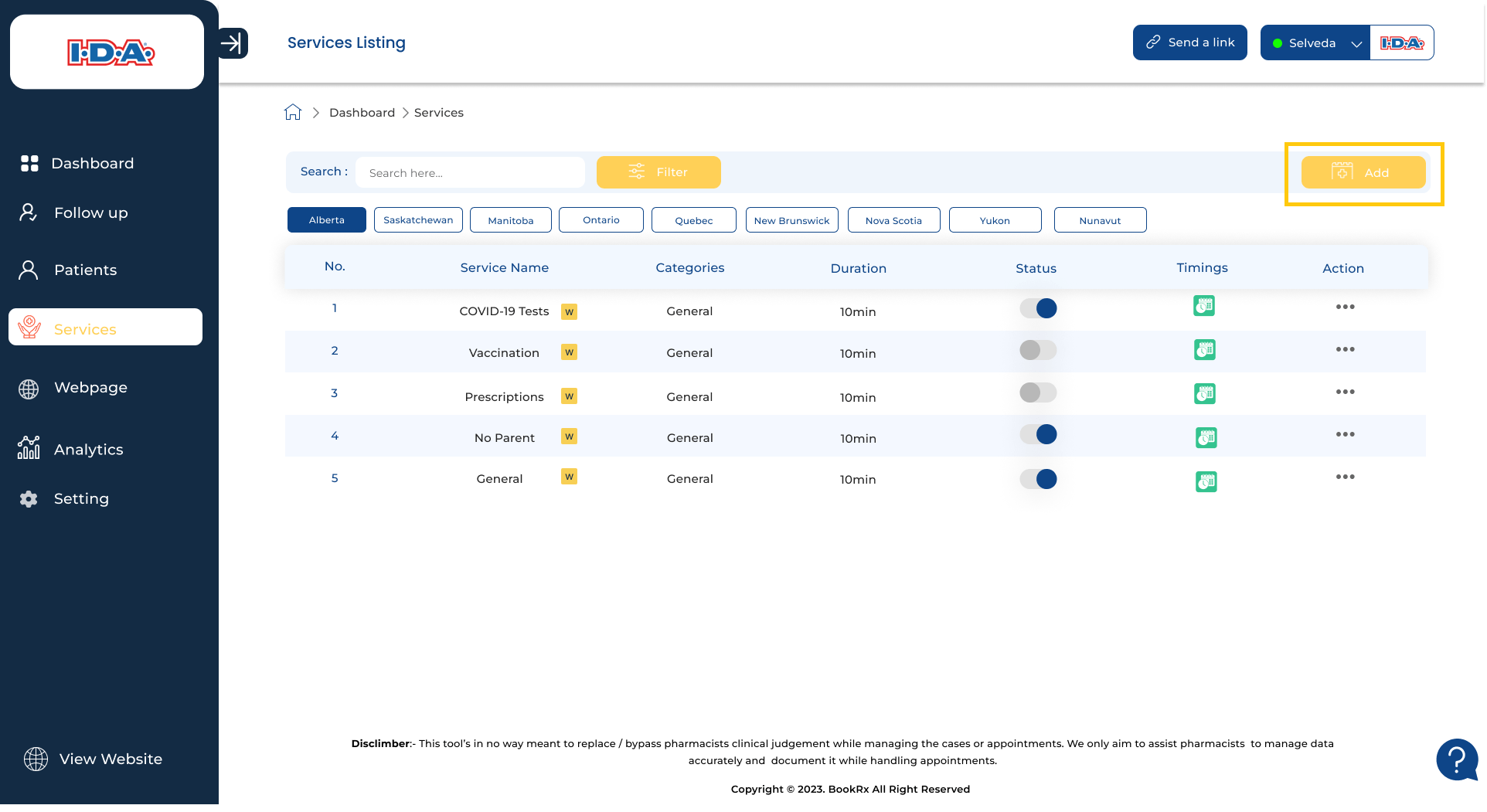
Step 1: Access the "Add New" Button
Click on the "Add New" button situated in the right-hand corner of your screen.
Step 2: Fill in General Information
Fill in your general information, which includes your service name, category, maximum number of persons in a group, your choice for enabling group booking, price per person, duration in minutes per person, and provide a description.
Step 3: Include Supplementary Questions (Optional)
If you want to include any supplementary questions, you can do so in the additional question field.
Step 4: Save Your Service
After completing the necessary details, click on the "Save" button to save your service.